
Launching a website is exciting—but maintaining it is where real success lies. Like a car, your site needs regular servicing to stay fast, secure, and profitable.
The Risks of Neglect:
– Outdated plugins can create vulnerabilities.
– Broken links hurt SEO and user trust.
– Unmonitored sites accumulate errors over time.
Monthly Maintenance Checklist:
1. Run security & backup checks.
2. Update CMS, themes, and plugins.
3. Test contact forms & payment gateways.
4. Review analytics for traffic or bounce changes.
5. Audit speed and accessibility.
Our team offers affordable monthly plans that include updates, uptime monitoring, backups, and SEO tune-ups—so you can focus on running your business.
Download your Free Website Maintenance Checklist and protect your investment today.
Tag: Blog
Affordable E-Commerce Web Design for Australian Small Businesses

Online shopping continues to surge across Australia, and even small brick-and-mortar stores are embracing digital storefronts. However, building an e-commerce site doesn’t need to break the bank.
What Makes a Successful E-Commerce Site?
– User Experience (UX): Clean layouts and simple navigation.
– SEO Structure: Optimized product pages and meta data.
– Security: SSL certificates and safe payment gateways.
– Scalability: The ability to grow as your business expands.
Go Webscape specializes in affordable e-commerce design without sacrificing quality. We integrate SEO, analytics, and conversion tracking into every store.
Start selling online today request your free store design quote.
Technical SEO for Small Businesses The Foundation You Can’t Ignore

If your website loads slowly or lacks proper metadata, Google will notice—and penalize. Technical SEO is the hidden backbone of every successful website. For small businesses, mastering these fundamentals can mean the difference between appearing on page 1 or getting lost entirely.
Key Elements of Technical SEO:
1. Site Speed & Core Web Vitals – Compress images, enable caching, and use a fast host.
2. Mobile Responsiveness – Google indexes mobile first; your site must adapt seamlessly.
3. Structured Data (Schema Markup) – Tell search engines exactly what your business offers.
4. Crawlability & Indexation – A clean sitemap and robots.txt ensure Google can read your pages.
5. Security (HTTPS) – Builds user trust and protects data.
Our SEO team uses tools like Google Search Console and Screaming Frog to audit every site we design. You get a fast, compliant, fully optimized digital foundation.
Request your free Technical SEO Audit from Go Webscape today.
How to Choose a Web Design Agency for Your Small Business in Australia

electing the right web-design agency can make or break your business’s online success. With hundreds of Australian agencies promising the same results, how do you choose one that fits your goals, budget, and brand?
An agency experienced in SMB projects will understand your constraints and priorities. Ask to see examples of websites built for local businesses in your industry.
Avoid agencies that “host and hold” your website hostage. Go Webscape ensures full ownership—your site, your content, your CMS.
A good design isn’t enough; it must rank and convert. Ensure the agency provides on-page SEO, schema markup, and mobile optimization.
Post-launch support prevents headaches. Look for flexible maintenance plans that include updates, backups, and monitoring.
Retain full control of your CMS
Ongoing support for peace of mind
Thinking of a redesign?
Get your free proposal from Go Webscape today.
Why Small Businesses in Australia Need a Multi-Channel Digital Strategy — Not Just a Website

For many Australian small-business owners, “getting a website” is the first and last step of their digital journey. While a website is the cornerstone of your online presence, it’s only one piece of the puzzle. In 2025, small businesses can’t afford to rely on a static site. You need a full, connected multi-channel digital strategy to attract customers, nurture trust, and convert traffic into sales.
A multi-channel strategy integrates several touchpoints—web design, SEO, social media, email marketing, and even mobile apps—to create a seamless brand experience. When your business appears across channels consistently, you increase visibility, engagement, and credibility.
Without SEO, your site is invisible. Without social proof, users won’t trust you. Without clear calls-to-action, leads won’t convert. A multi-channel strategy ensures each digital effort supports another—your SEO drives traffic to your website, social posts reinforce brand authority, and remarketing nurtures potential clients.
Go Webscape’s mission is to provide affordable, integrated marketing for small businesses in Australia. Our packages combine web design, SEO, and content strategy—so even small budgets can compete with big players.
Discover how SEO amplifies your visibility
Modern, mobile-responsive web design
Ready to expand beyond your website?
Top Tips for Regular Website Maintenance and Updates

Top Tips for Regular Website Maintenance and Updates
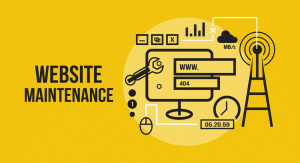
To guarantee that your website is safe, functions properly, and offers a satisfying user experience, regular website maintenance is essential. Inadequate website upkeep can result in obsolete material, broken links, slow load times, and security flaws that may turn off visitors. We’ll go over the crucial actions you should take in this post to maintain the best possible website, which will help you remain competitive and maintain audience interest.

Why Regular Website Maintenance Matters
Updating content is only one aspect of website maintenance; another is making sure everything functions properly and securely. You will gain the following advantages by making time for routine maintenance:
Enhanced Security: Malware and security breaches are prevented by routine maintenance.
Better Performance: A well-kept website provides a smooth user experience and loads rapidly.
Improved SEO Rankings: Up-to-date and functional websites are given preference by search engines, which raises their rankings.
Improved User Engagement: Relevant, up-to-date material keeps consumers engaged and motivates them to come back.
Essential Tips for Effective Website Maintenance
These are the best pointers to help you keep your website up to date and operating at its best.
1. Conduct Regular Security Checks
When it comes to website upkeep, security need to be your first concern. It’s crucial to defend your website against online dangers including viruses, phishing scams, and illegal access.
Update Software and Plugins: To avoid vulnerabilities, make sure that the content management system (CMS) and plugins on your website are always up to date.
Turn SSL encryption on: An additional degree of security is provided by Secure Socket Layer (SSL) encryption, which also aids in SEO.
Keep an eye out for malware: Use security tools to routinely check your website for malicious code or malware.
Backup Your Data: If something goes wrong, regular backups guarantee that you can promptly restore your website.
2. Optimize for Speed and Performance
Both search engine rankings and user experience depend on how quickly a website loads. Websites that load slowly have greater bounce rates, which means that users will abandon your site if it takes too long. For websites in mascot see here.
Employ a material Delivery Network (CDN): By distributing material among multiple servers, a CDN helps shorten load times.
Compressing images and files can speed up loading times without compromising quality.
Code Optimization and Plugin Removal: Simplify your website by eliminating extraneous code and turning off any plugins that aren’t being used.
Turn on Caching: Caching shortens the time it takes for pages to load for returning visitors by storing frequently visited material.
3. Test Website Functionality
Users may become frustrated and your SEO may suffer if forms, links, or other interactive features are broken. Testing the functioning of your website on a regular basis guarantees that everything operates as planned.
Check for Broken Links: To identify and address broken links, use resources such as Google Search Console or third-party link checkers.
Verify that shopping carts, contact forms, and other interactive elements are operating properly by testing them.
Examine and update the navigation menus to ensure that the links are correct and easy to use.
Check for Mobile Compatibility: To ensure a consistent experience across all platforms, make sure all components function properly on mobile devices.
4. Keep Content Fresh and Relevant
Regular content updates increase SEO and maintain visitor engagement. Users may leave your website if they perceive it to be ignored due to outdated material.
Publish New Blog Posts: To keep your readers interested and informed, publish new content frequently.
Update Old Content: Make sure that current articles and pages are correct and current by reviewing them.
Optimize for search engines by including alt tags, meta descriptions, and keywords.
Refresh Visuals and Images: To maintain the website’s visual appeal, add fresh pictures, graphics, or videos.
Additional Maintenance Tips for Long-Term Success
In addition to these crucial actions, using sophisticated maintenance techniques will assist you in ensuring your website’s long-term stability and success. Build a website in coolangatta here.
5. Monitor Analytics and Performance Metrics
Making data-driven judgments is made possible by website analytics, which provide you with information on the behavior of your audience.
Utilize Google Analytics to better understand your audience by tracking visitor data, page views, bounce rates, and other metrics.
Configure Conversion Tracking: To determine the efficacy of your website, measure conversions if it has particular objectives, such as sign-ups or purchases.

Examine Page Load Times: To find pages with sluggish load times and implement fixes, use tools such as Google PageSpeed Insights.
Examine the Search Console Reports: Google Search Console shows you how well your site performs in searches and points up any technical problems that require fixing.
6. Review Your Website’s Design and User Experience
Over time, user expectations and design trends shift. Maintaining the functionality and aesthetic appeal of your website can be achieved by routinely examining and upgrading its design.
Examine the Visual Design: To keep your website from seeming antiquated, update its appearance every few years.
Make mobile responsiveness a top priority. Since most people browse websites on their phones, make sure your website works and looks good on mobile devices.
Examine the user experience: To find areas where visitors could have trouble and make improvements, conduct usability testing.
Key Pages for A/B Testing: To improve layout and conversion aspects, run A/B tests on key pages, including the homepage or product pages.
7. Manage and Remove Outdated or Unnecessary Data
Data that is no longer relevant may gather on your website over time. The user experience can be streamlined and performance enhanced by removing outdated or superfluous files.
Archive or Delete Outdated Content: If an article is no longer helpful, move it to the archives or remove it altogether.
Clean Up Media Libraries: To increase storage capacity, eliminate unnecessary pictures, videos, and other media files.
Organize File Structure: To make management easier, make sure your media, files, and photos are arranged in folders.
Reduce the Number of Plugins: If your website has too many plugins, deactivate and remove any that aren’t needed.
8. Verify SEO and Compliance Standards
Since SEO guidelines and legal requirements are subject to change, it’s critical to keep your website up to date and compliant.
Update SEO Elements: To remain competitive, periodically check and revise your headings, alt text, meta tags, and keywords.
Verify ADA Compliance: Because accessibility is becoming more and more of a legal necessity, make sure your website is usable by people with impairments.
Keep an eye out for changes to the search algorithm: Keep up with search engine optimization changes so you can modify your approach appropriately.
Check the Terms of Service and Privacy Policy: Examine the legal sections of your website to make sure they adhere to the most recent laws, such as the CCPA or GDPR.
Conclusion: A Proactive Approach to Website Maintenance
Maintaining a website on a regular basis may seem like a difficult undertaking, but long-term success depends on being proactive. You can make sure your website stays safe, useful, and search engine friendly by adhering to these best practices. For more complicated jobs, think about employing a professional service, scheduling monthly website checks, or developing a maintenance calendar.
Final Thought
Keep in mind that a well-maintained website increases audience trust and company credibility in addition to drawing in more visitors. You will experience better performance, higher search engine rankings, and more satisfied users if you prioritize website upkeep.
The Best Advice for Continual Website Upkeep and Updates
To guarantee that your website is safe, functions properly, and offers a satisfying user experience, regular website maintenance is essential. Inadequate website upkeep can result in obsolete material, broken links, slow load times, and security flaws that may turn off visitors. We’ll go over the crucial actions you should take in this post to maintain the best possible website, which will help you remain competitive and maintain audience interest.
Building a Strong Online Identity

Guide to Website Branding: Building a Memorable Online Identity
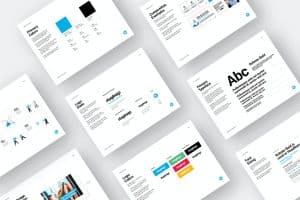
Building trust, encouraging client loyalty, and standing out in a competitive digital market all depend on creating a distinctive, identifiable brand on your website. Using consistent design, messaging, and values to establish a unique and distinctive identity is known as website branding. We’ll go over how to establish and preserve a powerful brand identity for your website in this article.
Understanding Website Branding
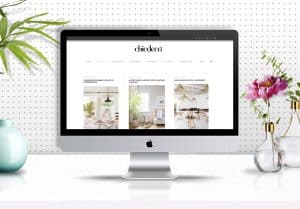
The act of strategically and aesthetically matching the components of your website to the overall brand of your business is known as website branding. This uniformity reinforces the image and values you wish to convey while assisting audiences in readily recognizing and remembering your company. For a therapy website design see here.
Why Website Branding Matters
Building trust, encouraging loyalty, and communicating your company’s distinctive qualities to your target audience are all made possible by branding. A website with a strong brand:
Boosts recognition
demonstrates professionalism
conveys values
Sets themselves out from rivals
Steps to Creating a Branded Website
Take these crucial actions to build a branded website:
Define Your Brand Identity
Understanding your brand identity clearly is the cornerstone of website branding, and it includes your:
Mission and Values: What are the core principles of your organization?
Who is your ideal client? Who is your target audience?
What distinguishes you from rivals is your unique selling proposition, or USP.
All of your website’s design and content choices are influenced by this clarity.
Choose a Cohesive Color Scheme
Colors have a big impact on how people perceive and recognize brands. Choose hues that convey the essence of your brand and arouse the appropriate feelings in your target market. For instance:
Blue: Dependability and trustworthiness
Green: expansion and sustainability
Red: vigor and enthusiasm
To achieve visual harmony throughout your website, stick to a primary color, one or two secondary colors, and a neutral background color.
Design a Memorable Logo
Being the face of your company, your logo ought to be shown prominently on your website. Create a logo that’s:
Simple: Recognizable and adaptable to various applications
Relevant: Represents your values and industry
Memorable: Makes an impression on guests that lasts
To guarantee visibility, place the logo in the header, footer, and favicon of your website.
Select Consistent Fonts and Typography
Typography should be carefully picked since it expresses personality. Choose typefaces that:
Show Off Your Brand Tone: informal, formal, sophisticated, or contemporary
Can be read: Select readable fonts for every size of device.
Remain Consistent: For headings and body text, use one or two primary fonts throughout the website.
Font consistency improves brand awareness and gives an image of professionalism.
Develop a Unique Voice and Tone
All of the material on your website should have the same voice and tone. Think about the tone that most accurately represents your brand, like:
Approachable and kind to consumer brands
Professional and educational for the finance or business-to-business industries
Innovative and audacious for lifestyle or fashion brands
This tone should be reflected in all text, from blog entries to product descriptions, in order to establish a rapport with your readers.
Visual Elements that Strengthen Branding
Use visual components to strengthen brand identification in addition to colors and typography. Find a website developer based in canberra here.
Incorporate Branded Imagery and Graphics
Custom graphics and high-quality photos let your brand stand out. Here are some pointers for branded images:
When at all possible, use original photography because it feels genuine and unique to your company.
Create unique icons and illustrations that complement the color palette and aesthetic of your company.
For a unified appearance across all images, choose consistent filters or editing styles.
Utilize a Cohesive Layout and Structure
Maintaining a consistent layout helps users navigate your website, enhances user experience, and strengthens your brand:
Header and Footer: To strengthen branding, make sure these sections are the same on every page.
Navigation: Make use of straightforward, user-friendly navigation that embodies your brand’s dedication to customer experience.
Button Styles and Interactions: For buttons, calls to action, and hover effects, use branded colors and effects.
Incorporate Brand Elements in Calls to Action (CTAs)
The tone, voice, and style of your brand should all be considered when creating calls to action. Think about:
Button Text: Make use of wording that is both actionable and consistent with the tone of your brand.
Make sure the button’s size and color complement the color scheme of your brand while yet making it stand out.
Placement: Consistently place calls to action in prominent areas to increase conversions.
Content as a Key Branding Tool
When it comes to communicating your brand’s beliefs, personality, and expertise, content is essential.
Create Valuable and Relevant Content
Post material that speaks to the needs of your audience and supports the goals of your brand:
Blog Posts: Provide your readers with useful advice, industry news, and your experience.
Testimonials or Case Studies: To establish trustworthiness, highlight client testimonials and success stories.
Product descriptions should match the language of your brand by emphasizing features, benefits, and values.
Leverage Storytelling to Connect with Your Audience
Give visitors a glimpse into the history, principles, and personalities of your brand by using storytelling. Some ideas are:
The “About Us” page: To establish a personal connection, share the history, goals, and personnel of your brand.
Customer Stories: Highlight client endorsements and achievements that highlight the value of your product.
Content from Behind the Scenes: To promote openness and trust, display content from behind the scenes.

Enhancing Branding Through User Experience (UX)
A seamless, easy-to-use interface keeps users interested and promotes your business.
Ensure Fast Loading Times
Slow load times can hurt a brand’s reputation and the user experience. Use dependable hosting, reduce code, and optimize pictures to maintain quick and consistent load speeds across all devices.
Design for Mobile Users
Your website will appear and work great on all devices thanks to responsive design. Your website must be mobile-friendly in order to preserve a favorable brand experience, as more people are visiting websites on mobile devices.
Focus on Accessibility and Inclusivity
A wider audience, including people with impairments, can access your brand thanks to an accessible website. Use best practices such as:
Alt Text for Images: Screen reader accessibility is enhanced with image descriptions.
Make sure users are able to navigate just using a keyboard.
Color Contrast: All visitors can read more easily when there is a high contrast.
Measuring and Adapting Your Branding Strategy
After putting your branding components in place, keep an eye on performance and be prepared to make adjustments in response to feedback and statistics.
Use Analytics to Track User Engagement
You may better understand user behavior and pinpoint areas for development with the use of tools like Google Analytics:
Bounce Rate: Elevated bounce rates could be a sign of problems with your UX, branding, or content.
Time on Page: Indicates how interesting and pertinent your material is.
Conversion Rate: Measures the effectiveness of your calls to action.
Collect Feedback from Your Audience
User reviews offer insightful information on how people view your brand. Utilize reviews, comments, and surveys to learn:
Brand Perception: How consumers view the character and principles of your brand.
Website Usability: Whether your website satisfies the requirements and expectations of users.
Adapt Your Branding as Needed
Don’t be scared to make changes because brands change with time. Make sure your brand’s design, content, and elements are still in line with your audience’s expectations, mission, and values by reviewing them on a regular basis.
Conclusion: Crafting a Strong, Memorable Website Brand
Creating a unified and captivating experience that embodies your brand’s values and appeals to your audience is the goal of website branding, which goes beyond colors and logos. You may create a memorable online persona that connects with users and encourages enduring devotion by emphasizing consistency, authenticity, and user experience. Your website identity can develop and adapt with constant improvement, supporting the success of your company online.
Website Branding Guide: Creating an Incredibly Memorable Online Persona
How collaboration makes us better designers

Lorem ipsum dolor sit amet consectetur adipisicing elit. Ipsam qui esse consectetur enim ad. Dicta dolores similique delectus eum maiores laboriosam, voluptas provident. Error placeat dolor quaerat? Similique quo quaerat provident, architecto perspiciatis at sint placeat eaque necessitatibus maxime esse vel voluptate voluptatem reprehenderit ea numquam? Maxime reprehenderit neque qui?
What is Wireframing?

Lorem ipsum dolor sit amet, consectetur adipisicing elit. Omnis esse odio minus dicta, iure ipsa numquam eaque officia alias unde earum debitis eveniet totam quasi reiciendis impedit. Officiis et impedit debitis aliquam soluta fuga quae tempore amet ipsa ducimus ad deleniti voluptate, dolorem atque asperiores doloremque laboriosam delectus! Alias, voluptatum.
PM mental models

Lorem ipsum dolor sit amet consectetur adipisicing elit. Soluta nostrum numquam, iure unde totam laborum facilis, neque distinctio harum eveniet saepe, eos quis ducimus accusamus consequuntur possimus tenetur in iste id perferendis deserunt nobis provident error. Amet magnam hic id, beatae voluptatibus non labore neque vero vitae quo maiores repellendus quasi odio! Voluptas officia cum rem nemo repellendus voluptates ad, iste dolorum. Illum perferendis eaque voluptatem sed obcaecati impedit? Ipsa exercitationem eaque optio fuga atque ea nisi quidem. Tempore, velit? Labore architecto beatae velit dicta sit aliquid dolorem, nulla rem consectetur perferendis iusto minima adipisci ratione ipsam nesciunt? Commodi, hic!